A comic reader for Apple TV.
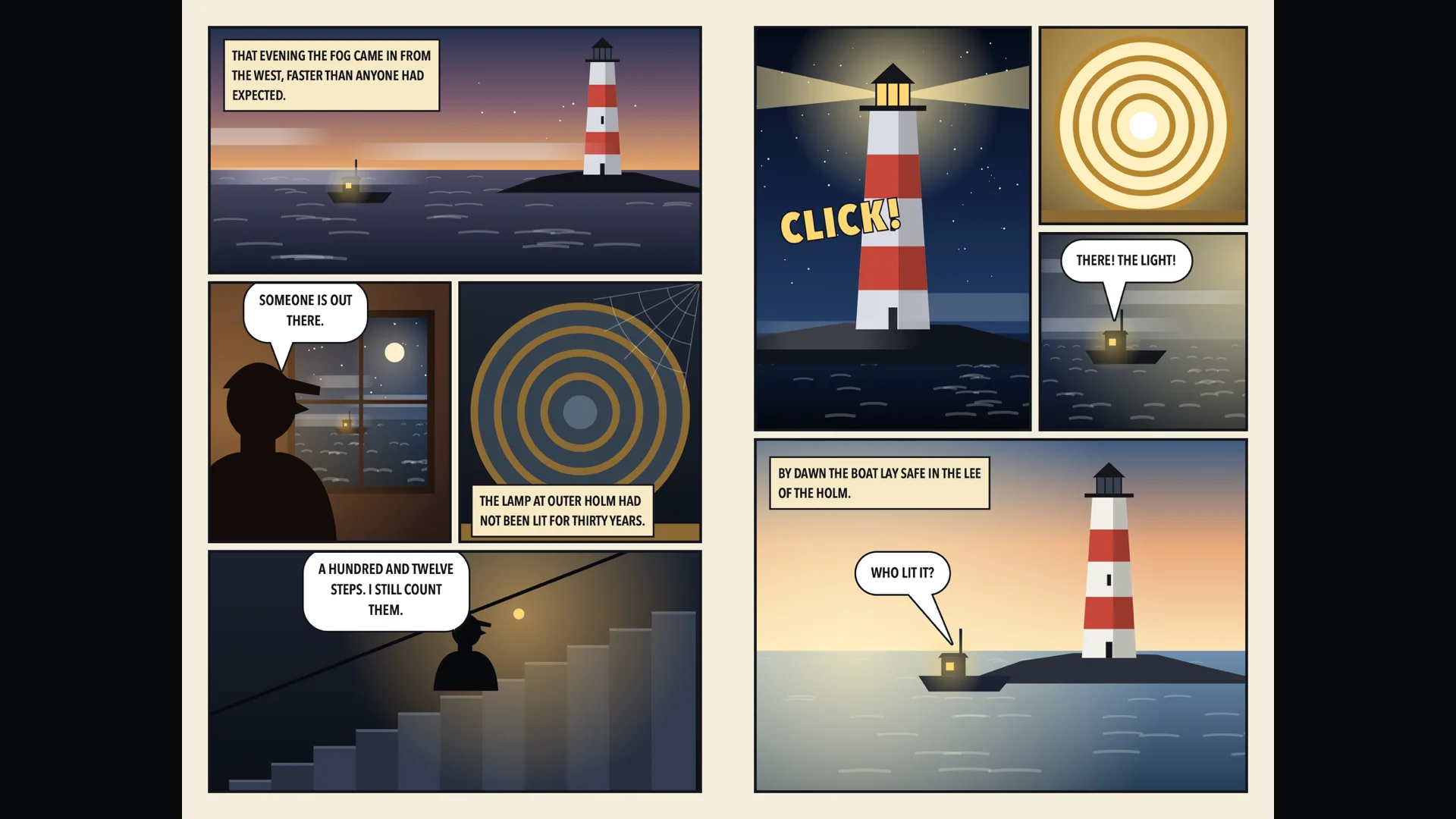
Comic pages are drawn to be seen large. Blad opens comics in CBZ and CBR from your own storage and gives them the whole TV: the cover on its own, then two pages side by side, with the Siri Remote to turn the page.

Out now, only from the App Store on Apple TV. Blad for iPad is coming soon.
Five titles free. Then one purchase. No subscription.
From the spread to the panels.
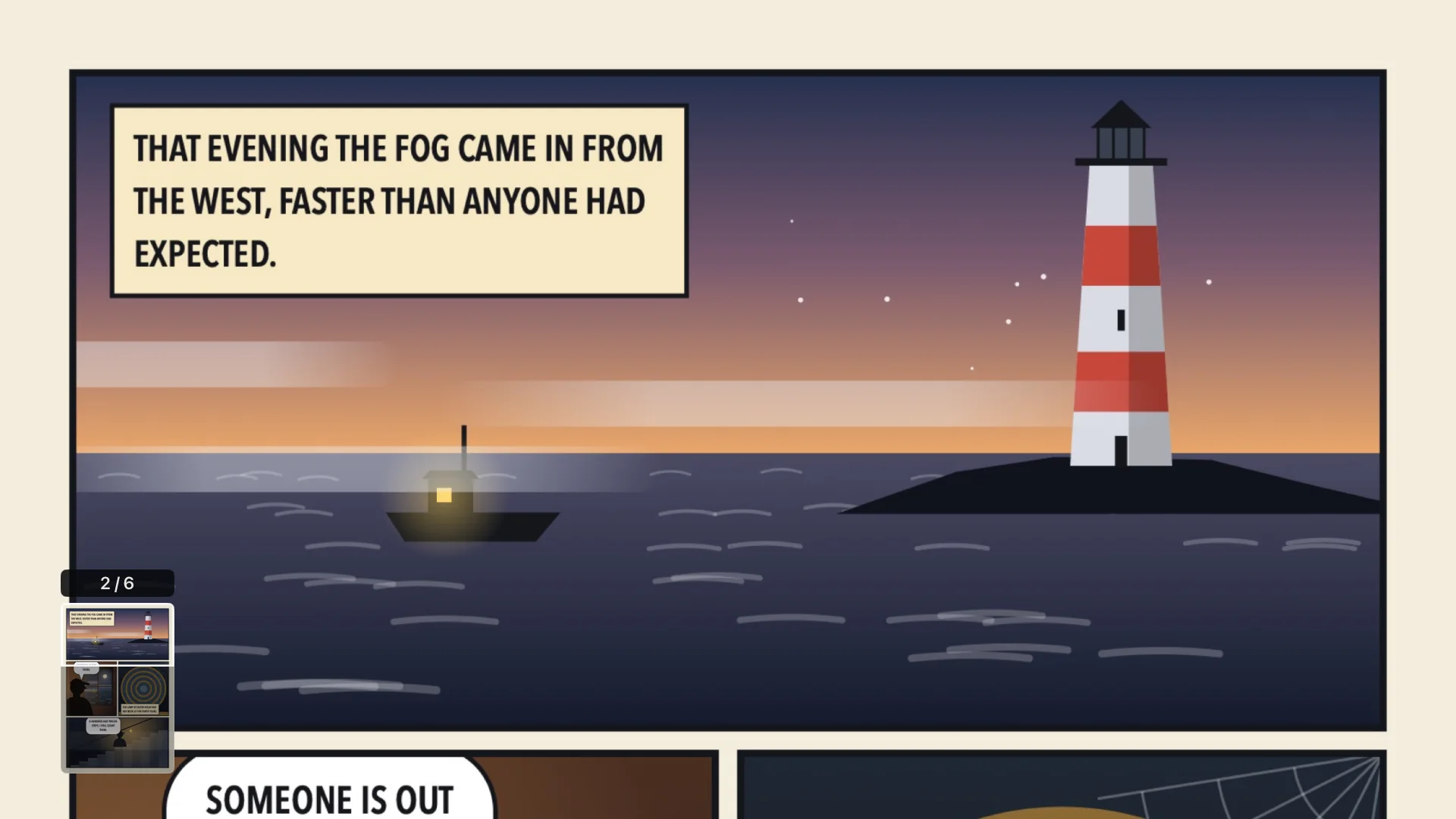
Click to zoom to the width of the page and scroll down through the panels. Click again to go closer, in steps, and move around the page with the arrows. Blad draws the page again for each zoom level, so line work and lettering stay sharp. A small map in the corner shows where on the page you are.
Up shows all the pages at a glance, so you can jump straight to any spread.
On the same shelf as your magazines and books.
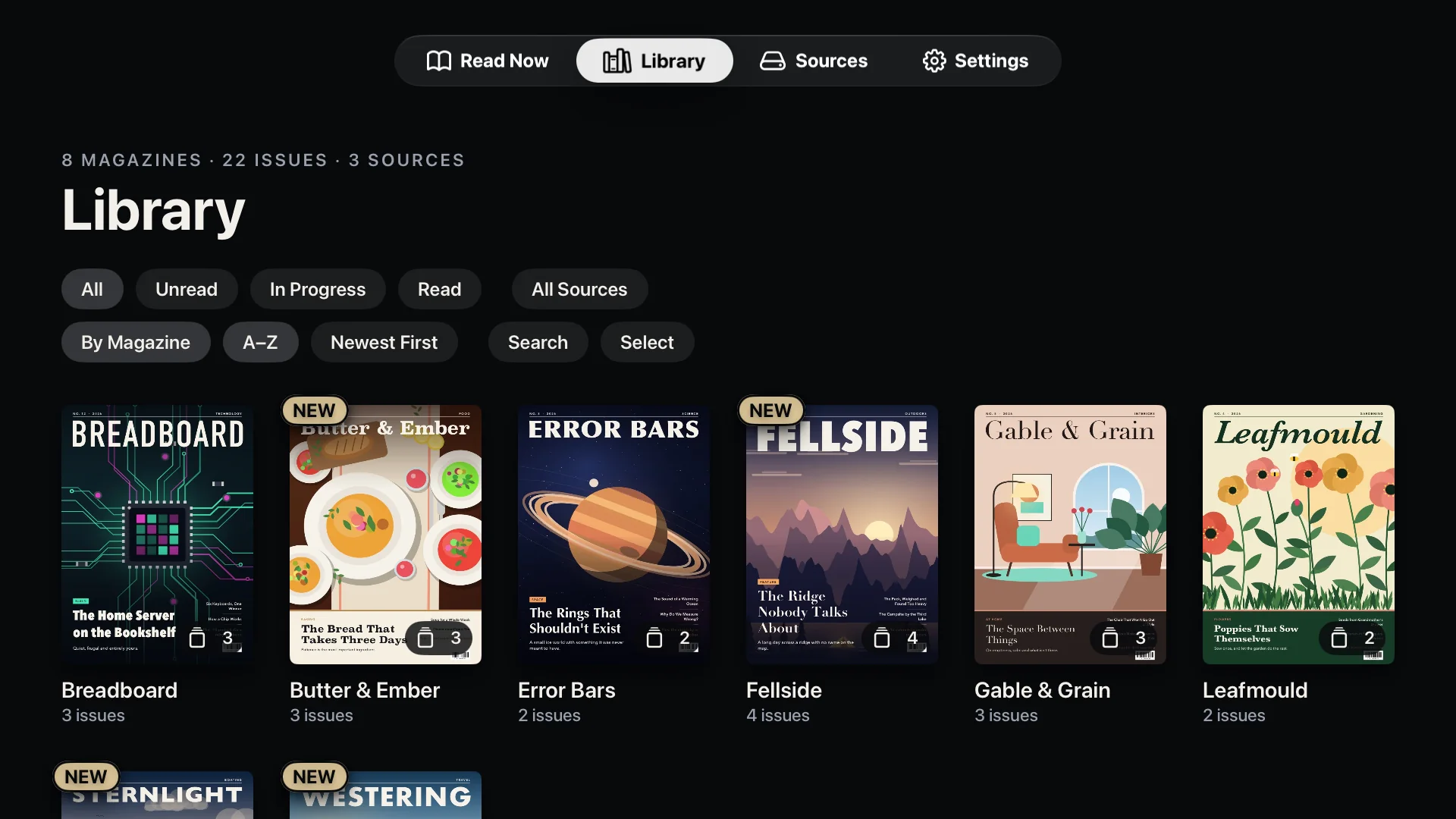
Comics stand in the same library as your magazines and e-books, with their covers. When the file has a ComicInfo.xml, Blad uses its series name and issue number.
Continue Reading takes you back to the page you left, from the app or straight from the Top Shelf.
Your files stay where they are.
Blad has no store and no catalogue. It reads the files you already have, from the storage you already use, and it only ever reads: nothing in your storage is changed, deleted or shared.
- Get BladOpen the App Store on your Apple TV, search for Blad and download it. The download is free, and so are the first five titles you open.
- Connect your storageOpen Sources and pick where your files are. For cloud services you sign in on your phone with a QR code, so there is no password to type with the remote. Then choose the folders and files Blad may read.
- ReadYour titles appear in the library with their covers. Click one, and Blad fetches the file to the Apple TV and opens it. Next time it opens on the page you left.
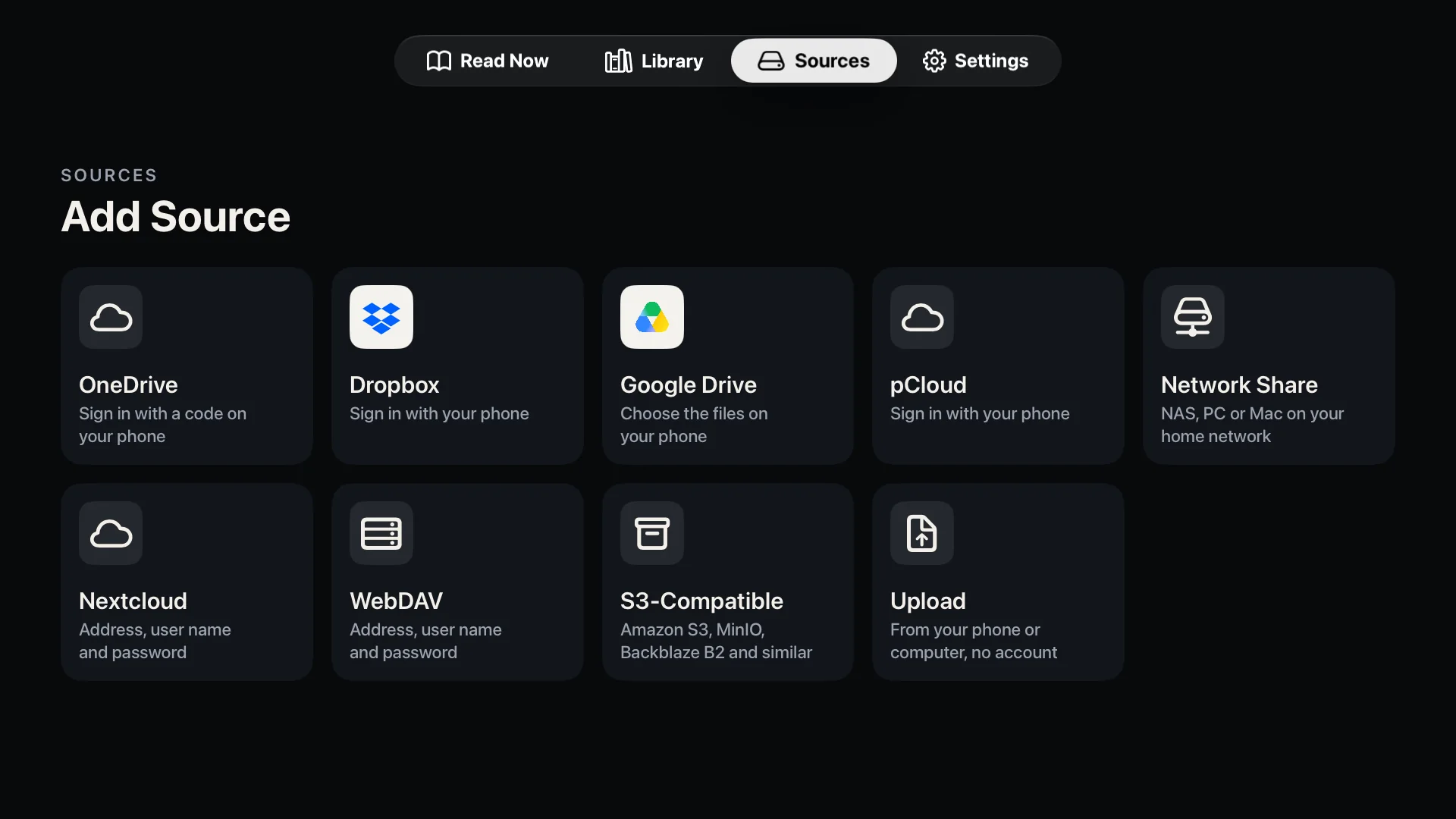
Blad reads from
- Cloud services
- OneDrive
- Dropbox
- Google Drive
- pCloud
- At home or on your own server
- Network shares (SMB)
- Nextcloud and WebDAV
- S3-compatible storage
- OPDS: Komga, Kavita, Calibre
- No account needed
- Straight from your phone
No cloud account and no server? Choose Upload under Sources, scan the QR code with your phone and send the files over your home network. Upload takes PDF, EPUB, CBZ and CBR files. Step by step on the support page.
The limits, stated plainly.
- Apple TV
- Any Apple TV running tvOS 26 or later.
- File formats
- PDF (also with a password), EPUB, and comics in CBZ, CBR and CBT. Not MOBI or Kindle formats, and not comic archives that have a password, are split into several files or are packed as 7z (CB7).
- Copy protection
- Files with DRM cannot be opened. That rules out most e-books bought with a lock, and magazines that only live inside another reading app.
- Text mode
- Showing a PDF page as plain text needs a page with real text. Scanned pages have none, and in a few PDFs the fonts do not say which letters they hold; Blad then says that the text cannot be read.
- Upload from a phone
- Takes PDF, EPUB, CBZ and CBR files. They are kept in the app's cache on the Apple TV, which tvOS can clear when space runs low, so keep your originals.
- Price
- Free to download, and the first five titles are free. After that, a single in-app purchase of US$8.99 unlocks the full version, with no subscription. The price in your country is shown in the app.
- Privacy
- No account with us, no analytics and no advertising. Privacy policy.
- Languages
- The app is in English and Norwegian.
- iPad and iPhone
- Blad for iPad is coming soon. There is no iPhone version yet.
Good to ask.
Does Blad read CBR files?
Yes. Blad opens CBR and CBT comics as well as CBZ, including compressed RAR archives. Three kinds do not open: archives with a password, archives split into several files, and 7z archives (CB7). Blad then shows the comic in the library and says why it cannot be opened. Jumping far into a large CBR can take a moment the first time, because some RAR archives have to be read from the beginning.
Is there a right-to-left mode for manga?
Not yet. Pages turn from left to right, and a spread shows the earlier page on the left.
Does Blad work with Komga or Kavita?
Yes, through the server's OPDS catalogue. Choose OPDS Catalog under Sources and enter the server's address, with a user name and password or an API key; from Kavita, paste the full OPDS address. Calibre and Calibre-Web work the same way. Blad downloads a title before it opens, it does not stream pages, and it does not send reading progress back to the server. We built this from the servers' own documentation and source code and have tested it against our own test server only, so tell us if your server behaves differently. Jellyfin is not supported.
Can I read comics in PDF?
Yes. A comic in PDF opens in the same reader, with the same spreads and zoom.
How do I get CBZ or CBR files onto my Apple TV?
Put them in one of your sources, such as a shared folder on a NAS, OneDrive, Dropbox or Google Drive, and choose the folder in Blad. Or send them from your phone or computer with Upload.
Blad, format by format.
- PDF reader for Apple TVWhole spreads, sharp zoom and text mode for any PDF.
- Magazine reader for Apple TVWhole spreads in 4K, and a shelf that sorts issues by magazine.
- E-book reader for Apple TVEPUB in large, calm type, with bookmarks and search.
- How to read a PDF on Apple TVAirPlay or a reader app: the two ways, step by step.
- Blad at workMeeting rooms, training rooms and the screen on the wall: what Blad does there, and its limits.
- SupportEvery source step by step, and how to reach us.

Your library, on the TV in your living room.
Blad for Apple TV is out now, only from the App Store on Apple TV. Blad for iPad is coming soon.